Why Netflix Suddenly Looks Worse On Some TVs
Estimated reading time: 18 to 22 minutes.
You sit down to watch Netflix on your TV and something immediately feels wrong. The image looks softer than before. Dark scenes feel muddy. Faces lose detail. Motion becomes strange. Sometimes the picture even looks compressed or artificial, especially during fast scenes.
Most people assume Netflix itself suddenly became worse. But the reality is much more complicated. Streaming quality depends on a chain of technical systems working together in real time. Your TV, your network, Netflix servers, bitrate adaptation, compression logic, and even the time of day can all change what you see on the screen.
Quick Context. Netflix image quality changes because streaming is dynamic. Bitrate, compression, network stability, TV processing, HDR handling, and device capability all affect how the final image looks.
Table of Contents
Why it is not just your imagination
Netflix is a dynamic streaming system
Bitrate is the biggest hidden factor
How compression changes image quality
Why dark scenes often look terrible
Adaptive streaming changes quality constantly
Why fast internet is not enough
How TVs process Netflix differently
HDR can actually make things worse
WiFi instability and invisible drops
Why Netflix often looks worse at night
Why older TVs struggle with Netflix
Why it is not just your imagination
Many users notice that Netflix quality changes over time. One week the image looks excellent, and the next week it suddenly looks softer or less detailed.
This is not psychological. Streaming quality really does change.
Unlike Blu-ray discs or traditional broadcasts, streaming services constantly adapt the video depending on conditions. The image you see is not fixed. It is dynamically generated from a chain of technical decisions happening every second.
That means the exact same show can look different depending on:
- Your TV model
- Your network stability
- The current Netflix server load
- The bitrate selected at that moment
- The time of day
- Your WiFi environment
- The processing power of your TV
Most users never realize how many invisible systems affect streaming quality.
Netflix is a dynamic streaming system
Netflix does not send one fixed video file to every user.
Instead, Netflix creates many versions of the same content at different quality levels and bitrates.
Your device continuously communicates with Netflix servers and requests the version it believes your connection and hardware can handle.
This process happens automatically.
That means Netflix is constantly making decisions about:
- Resolution
- Bitrate
- Compression level
- Buffer size
- Playback stability
The goal is not maximum quality.
The goal is uninterrupted playback.
This is a critical difference.
Netflix would rather reduce quality than stop playback completely.
Bitrate is the biggest hidden factor
Most people focus on resolution. They think 4K automatically means excellent quality.
But resolution alone means very little without sufficient bitrate.
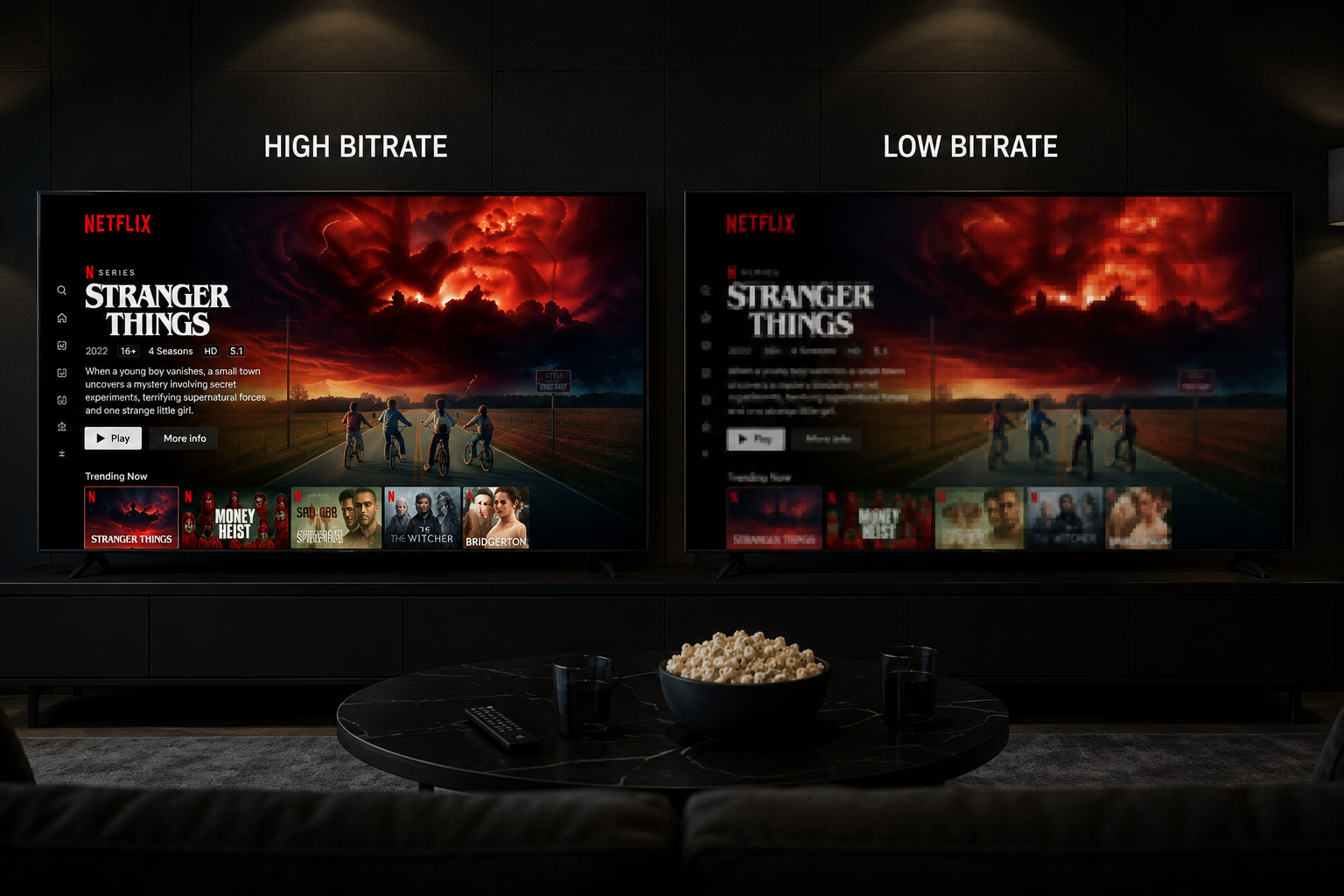
Bitrate determines how much actual image information exists inside the stream.
A low bitrate 4K stream can look worse than a high bitrate 1080p stream.
This is why some Netflix content looks soft or blurry even though the TV says “Ultra HD”.
When bitrate drops:
- Fine textures disappear
- Faces lose detail
- Dark scenes become blocky
- Motion becomes messy
- Edges become softer
Bitrate is the hidden quality currency of streaming.
How compression changes image quality
Netflix compresses video heavily to reduce bandwidth usage.
Without compression, streaming would require enormous internet capacity.
Compression removes visual information that the system considers less important.
The problem is that compression becomes very visible under difficult conditions.
Examples include:
- Smoke
- Rain
- Dark lighting
- Fast motion
- Explosions
- Detailed textures
These scenes require far more data to look clean.
If bitrate is insufficient, compression artifacts appear.
This is why some Netflix scenes suddenly look poor while others look excellent.
Why action scenes look worse
Fast motion is one of the hardest things for streaming systems to handle.
During action scenes, the image changes rapidly between frames.
This requires more data because the system cannot easily reuse previous frame information.
When bitrate is limited, Netflix aggressively compresses these scenes.
The result:
- Blurred motion
- Macroblocking
- Loss of detail
- Smearing effects
- Motion noise
On lower quality TVs, these issues become even more visible.
Why dark scenes often look terrible
Dark scenes are extremely difficult for compressed streaming video.
Shadows contain subtle gradients and fine details that compression systems struggle to preserve.
When bitrate drops, shadow detail collapses.
This creates:
- Banding
- Black smearing
- Noise
- Block artifacts
- Loss of texture
This is why many Netflix shows look especially poor during nighttime scenes.
It is not always your TV.
Often the stream itself is heavily compressed.
Adaptive streaming changes quality constantly
Netflix uses adaptive bitrate streaming.
This means the quality changes dynamically depending on current network conditions.
If Netflix detects instability, it lowers quality automatically.
Sometimes this happens so gradually that users do not notice immediately.
Other times the change is obvious.
The stream may suddenly become:
- Softer
- Less detailed
- More compressed
- Less stable
Then later it improves again.
This explains why Netflix quality can feel inconsistent.
Why fast internet is not enough
This is one of the biggest misunderstandings in streaming.
People think:
“I have fast internet, so quality should always be perfect.”
But streaming depends more on stability than peak speed.
You can have:
- 500 Mbps download speed
and still experience:
- Bitrate drops
- Quality reduction
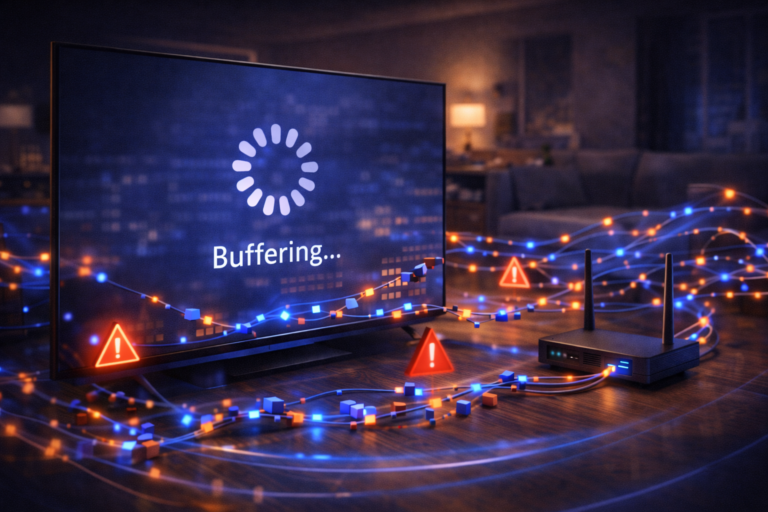
- Buffering
- Compression artifacts
Why?
Because Netflix depends on:
- Stable packet timing
- Low jitter
- Low packet loss
- Consistent delivery
Streaming is continuous.
Downloads are burst based.
They behave differently.
How TVs process Netflix differently
This is another major factor most people ignore.
Not all TVs process video the same way.
Some TVs:
- Upscale better
- Handle motion better
- Process compression artifacts better
- Display shadow detail better
Others exaggerate streaming flaws.
This is why Netflix may look excellent on one TV and poor on another even on the same connection.
Premium TVs usually contain:
- Better image processors
- Stronger motion handling
- Improved noise reduction
- Better HDR tone mapping
Budget TVs often struggle with compressed streams.
HDR can actually make things worse
HDR is supposed to improve image quality.
But under poor streaming conditions, HDR can expose flaws more aggressively.
When bitrate is limited:
- Dark scenes break apart faster
- Noise becomes more visible
- Banding increases
- Compression artifacts become clearer
Some TVs also handle HDR poorly.
This creates washed out or overly dark images.
Ironically, SDR sometimes looks cleaner than HDR under heavy compression.
WiFi instability and invisible drops
WiFi problems are often invisible.
Your connection may appear strong while still suffering:
- Interference
- Packet loss
- Latency spikes
- Bandwidth fluctuations
Netflix reacts aggressively to instability.
Even short fluctuations can force bitrate reductions.
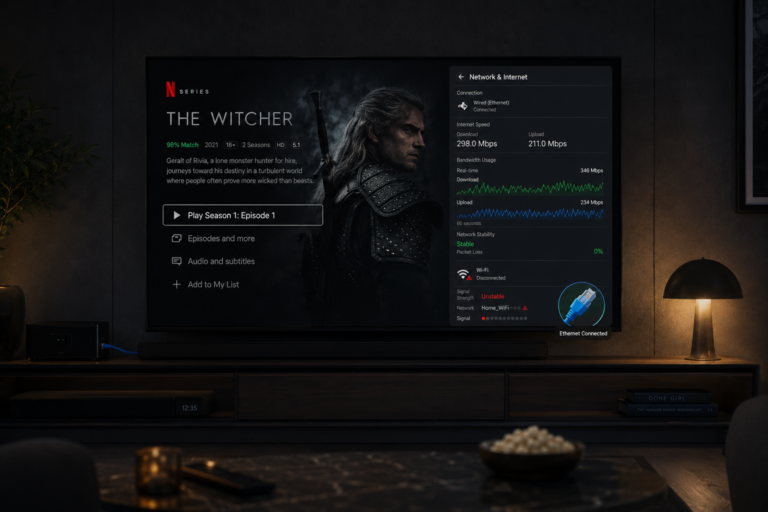
This is why Ethernet often produces noticeably better Netflix quality.
Not because it is necessarily faster.
Because it is more stable.
Why Netflix often looks worse at night
Many users notice Netflix quality drops during evenings.
This is real.
At night:
- Network congestion increases
- More users stream simultaneously
- Server demand rises
- Bandwidth competition grows
Adaptive streaming systems respond by lowering bitrate.
This is why Netflix may look excellent during the afternoon but softer at night.
Why older TVs struggle with Netflix
Streaming systems become more advanced every year.
Older TVs often lack:
- Modern decoding hardware
- Efficient processors
- Advanced video handling
- New codec support
As Netflix evolves, older TVs struggle more.
This creates:
- Slower menus
- Reduced quality
- Playback instability
- Frame drops
Sometimes the TV itself becomes the bottleneck.
Motion processing and frame problems
Some TVs apply aggressive motion smoothing.
Others disable it poorly.
Combined with compressed streaming video, this creates strange motion artifacts.
Examples include:
- Ghosting
- Judder
- Soap opera effect
- Motion blur
This is why Netflix sometimes looks unnatural during movement.
The issue is often the interaction between streaming compression and TV motion processing.
A real world viewing example
Imagine two people watching the same Netflix show.
One uses:
- OLED TV
- Ethernet connection
- Modern processor
- Stable bandwidth
The other uses:
- Older LED TV
- Busy WiFi network
- Weak processor
- Nighttime congestion
Even though both watch the same content, the experience becomes completely different.
One image looks cinematic.
The other looks soft and unstable.
This is how sensitive streaming systems are to the entire chain.
| Factor | Technical Effect | Visible Result |
|---|---|---|
| Low bitrate | Reduced image data | Soft image |
| Heavy compression | Loss of detail | Artifacts and blur |
| WiFi instability | Inconsistent delivery | Quality fluctuations |
| Peak hour congestion | Bandwidth pressure | Lower streaming quality |
| Weak TV processor | Poor decoding | Lag and softness |
| HDR limitations | Poor tone mapping | Dark scene problems |
| Motion handling | Frame interpolation issues | Unnatural movement |
Reality Check
Netflix quality is not controlled by one single factor. Streaming is a balance between bandwidth, stability, compression, device capability, and real time adaptation. Even expensive TVs can look poor if the streaming chain becomes unstable.
Final Verdict
Netflix suddenly looking worse on some TVs is usually the result of multiple technical systems interacting together. Bitrate adaptation, compression, WiFi instability, peak hour congestion, TV processing, and hardware limitations all influence the final image. Streaming quality is dynamic, not fixed. The image changes constantly depending on how the entire delivery chain behaves in real time. Understanding this explains why Netflix can sometimes look cinematic and other times look heavily compressed even on the same TV.
FAQ
| Question | Answer |
|---|---|
| Why does Netflix suddenly look blurry | Usually because bitrate was reduced due to unstable conditions |
| Can fast internet still produce poor quality | Yes because streaming depends on stability more than speed |
| Why do dark scenes look bad on Netflix | Compression struggles with shadow detail and low light scenes |
| Does TV quality affect Netflix image quality | Yes significantly because TVs process streaming differently |
| Why does Netflix look worse at night | Because network congestion increases during peak hours |